Regarding the installation of Python packages in salome .sif container

Hi everyone,

I’m dealing with finite element simulations coupled with machine learning methods. The simulations require a few additional Python packages (such as scikit-learn) besides those already present in the container, which can be listed via

pip3 freeze

The execution of:

pip3 install -U scikit-learn==version_number

(version_number=0.23.1 for instance) is unsuccessful as the container asks for root privileges to complete the installation of the package. I tried to create a sandbox for the container as well – doesn’t work either.

Has anyone faced this issue? Any suggestion/solution?

Hello,

I tried what you did in the shell of the container, that is running it with

and entering the shell with

(it then shows Singularity> )

Executing pip in there is not possible, it is unknown (bash: pip commande introuvable). So I assume you did something differently.

HOWEVER: when I start Salome and type in its Python shell, I can do some stuff:

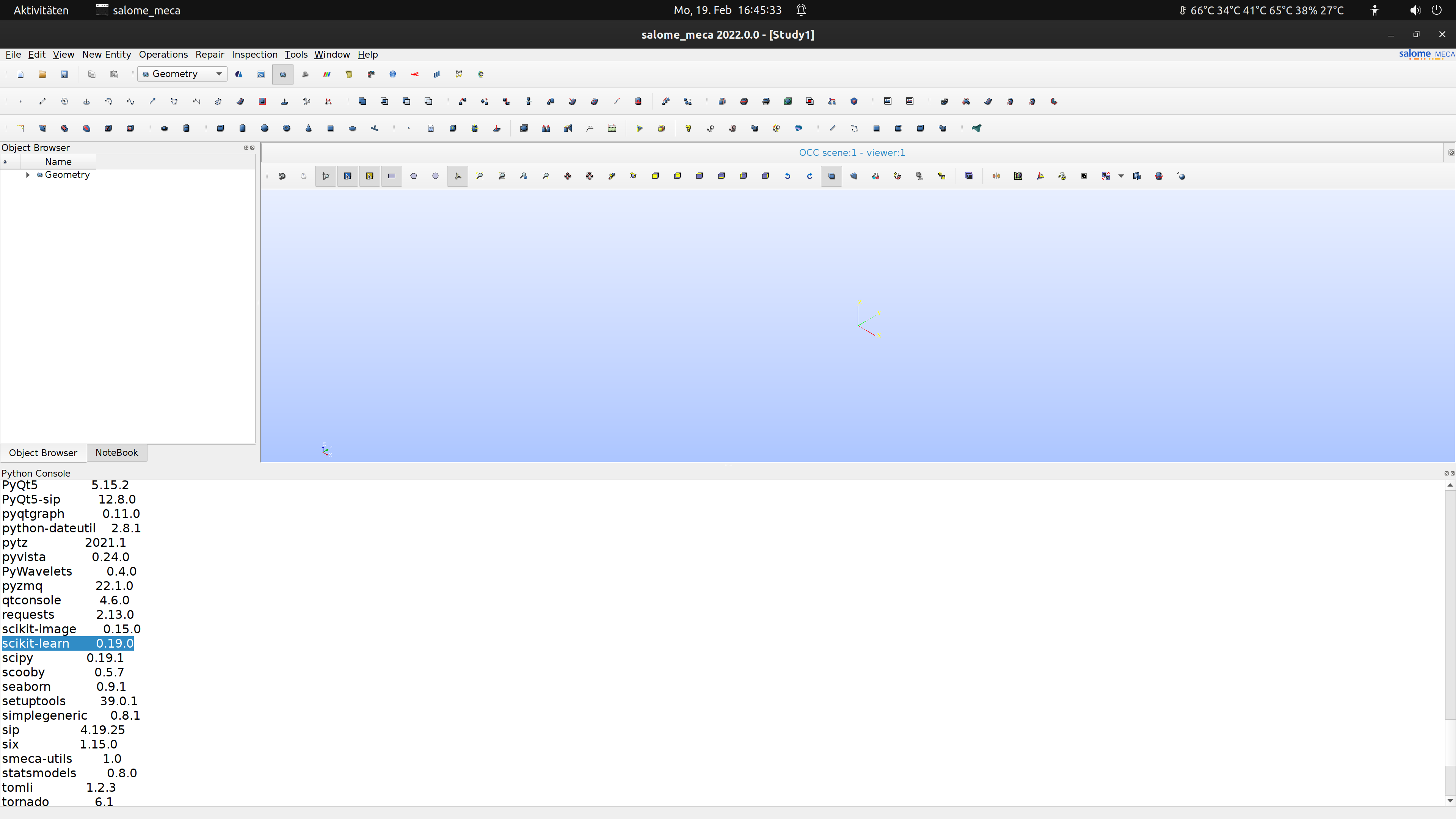
prints out all installed Python packages and, surprise, sklearn is already in there. It is quite old (version == 0.17) but it is there. Installed are:

[quote]Package Version


appdirs 1.4.4

astk 2021.0

astroid 2.11.7

backcall 0.2.0

bcrypt 3.1.7

black 22.8.0

cffi 1.13.2

click 8.0.4

ConfigArgParse 1.5.3

cryptography 2.8

cycler 0.10.0

Cython 0.25.2

dataclasses 0.8

debugpy 1.5.1

decorator 4.4.0

dill 0.3.4

docutils 0.12

fprettify 0.3.7

GDAL 2.4.0

h5py 2.8.0

imageio 2.9.0

importlib-metadata 4.8.3

ipykernel 5.5.5

ipython 7.0.1

ipython_genutils 0.2.0

isort 5.10.1

jedi 0.17.2

Jinja2 2.7.3

jupyter-client 6.1.12

jupyter-core 4.6.0

kiwisolver 1.3.1

lazy-object-proxy 1.7.1

lxml 3.4.0

MarkupSafe 0.23

matplotlib 3.0.3

mccabe 0.7.0

meshio 4.0.4

mpi4py 1.3.1

mypy-extensions 0.4.3

networkx 2.6.2

numpy 1.15.1

openturns 1.17

otfftw 0.11

otfmi 0.11

otmixmod 0.12

otmorris 0.10

otpmml 1.11

otpod 0.6.7

otrobopt 0.9

otsubsetinverse 1.8

otsvm 0.10

otwrapy 0.10

pandas 0.24.2

paramiko 2.6.0

parso 0.7.1

pathspec 0.9.0

patsy 0.5.2

pexpect 4.8.0

pickleshare 0.7.5

Pillow 8.3.1

pip 21.3.1

platformdirs 2.4.0

prompt-toolkit 2.0.10

psutil 5.5.1

ptyprocess 0.7.0

pycparser 2.20

pyFFTW 0.11.1

PyFMI 2.5

Pygments 2.0.2

pylint 2.13.9

PyNaCl 1.3.0

pyparsing 3.0.0b2

PyQt5 5.15.2

PyQt5-sip 12.8.0

pyqtgraph 0.11.0

python-dateutil 2.8.1

pytz 2021.1

pyvista 0.24.0

PyWavelets 0.4.0

pyzmq 22.1.0

qtconsole 4.6.0

requests 2.13.0

scikit-image 0.15.0

scikit-learn 0.17

scipy 0.19.1

scooby 0.5.7

seaborn 0.9.1

setuptools 39.0.1

simplegeneric 0.8.1

sip 4.19.25

six 1.15.0

smeca-utils 1.0

statsmodels 0.8.0

tomli 1.2.3

tornado 6.1

traitlets 4.3.3

typed-ast 1.5.4

typing_extensions 4.1.1

urllib3 1.24.1

Wand 0.5.2

wcwidth 0.2.5

wrapt 1.12.1

xlrd 1.2.0

xlutils 2.0.0

xlwt 1.3.0

zipp 3.6.0
[/quote]

Mario.

@mf

Hi Mario,

Thanks for such speedy feedback and for trying it out – I really appreciate it.

@mf Executing pip in there is not possible, it is unknown (bash: pip commande introuvable). So I assume you did something differently.

I played around with your commands, and both pip and pip3 can be invoked from the container version you reported. Otherwise, you could not invoke them in the Salome shell either. Also, you can run Python pip commands in the shell run with:

$ singularity run -B  mount_point path_to_container shell

Whilst pip cannot be called from the version I am using, i.e. salome_meca-lgpl-2021.0.0-2-20211014, which is older than yours, though.

Owing to your reply and instructions, I managed to reproduce the exact output you showed (using the latest version of Salome). I was surprised to notice that scikit-learn is included by default in the latest container. In contrast, scikit-learn is not included in the version I am using. Although scikit-learn 0.17 is present since it is a required package of OpenTurns (as witnesses the path below)

/opt/openturns/1.17.0/lib/python3.6/site-packages/scikit_learn-0.17-py3.6-linux-x86_64.egg/sklearn/__init__.py

I need at least scikit-learn>0.18, so 0.17 is essentially pointless for my purposes. I tried again:

$ pip3 install scikit-learn==0.23.1 # or pip -- doesn't matter

and the latest version of the container does not asks for root privileges. So, in principle one can install additional packages. Still, more recent version of scikit-learn are conflicting OpenTurns requirements, thus cannot be installed and I get installation errors.

I need to find a workaround for my implementations.

Cheers

Hello,

I am now on a different computer with the same container (also with salome_meca-lgpl-2022.1.0-1-20221225-scibian-9.sif)

Here I can execute pip and python etc. within the Singularity shell. Very weird!

I am trying right now to upgrade scikit-learn (pip install --upgrade scikit-learn), I am getting a ton of errors during installation. And it is painfully slow.

For what it’s worth, the next version of the SM container may be on the horizon. We are now past the yearly release date around december/january.

Mario.

@mf

@mf Here I can execute pip and python etc. within the Singularity shell. Very weird!

Indeed!

@mf I am trying right now to upgrade scikit-learn (pip install --upgrade scikit-learn), I am getting a ton of errors during installation. And it is painfully slow.

Exactly, so did I.

@mf For what it’s worth, the next version of the SM container may be on the horizon. We are now past the yearly release date around december/january.

I hope so. I feel confident a future release will exploit more recent versions of the packages.

Best

@ale.tgn

I just tried installing 0.19, this install is successful but has minor dependency issues (“pip install --upgrade scikit-learn==0.19”). If this works, why not try this? Do you really need OpenTurns?

I added a bit of space to the container before doing the install (like it is done here: https:__//github.com/emefff/Code-Aster-MPI-in-Singularity-of-SM2022). That is:

[quote]cd ${HOME}

dd if=/dev/zero of=overlay.img bs=1M count=1500 && mkfs.ext3 overlay.img

singularity sif add --datatype 4 --partfs 2 --parttype 4 --partarch 2 --groupid 1 salome_meca-lgpl-2022.1.0-1-20221225-scibian-9.sif overlay.img

sudo singularity run --bind ${HOME}:${HOME} -w ${HOME}/salome_meca-lgpl-2022.1.0-1-20221225-scibian-9.sif shell[/quote]

Mario.

@mf

I’m sorry I haven’t got back sooner, but I just wished to carry out a few test before replying.

@mf Do you really need OpenTurns?

Actually, I don’t mind having OpenTurns working, so the solution you proposed is fine.

Thanks to you input i discovered singularity overlays, which are a game-changer in this respect. Essentially, the singularity container runs in read-only mode. Thus, overlays allows containers to be run as writable. Differently from:

@mf dd if=/dev/zero of=overlay.img bs=1M count=1500 && mkfs.ext3 overlay.img

i didn’t use dd, which might be risky to some extent. In fact, I just created an overlay folder as an alternative, so am summarising the main point of the procedure I carried out. I feel it can be helpful for other users facing the same issue.

Create an overlay folder:

$ mkdir overlay_folder

Run salome shell as root (the mount point can be any):

$ singularity run - B mount_point --overlay path_to_overlay_folder path_to_salome_container shell

Install python packages, such as:

$ pip install scikit-learn==0.21.3 # latest compatible version with the provided Python interpreter in the container

Finally, run the simulations. Please note that since the container is run as root, the output files are owned by root. Not a big deal, this can be fixed with:

$ chown your_user:your_group your_output_file# from the os

That’s it.

Thanks a lot @mf

Best

Hi,

I’m trying to add packages to the singularity image and I’ve followed your instructions, but it fails with this error:

`WARNING: Retrying (Retry(total=4, connect=None, read=None, redirect=None, status=None)) after connection broken by ‘NewConnectionError(’<urllib3.connection.HTTPSConnection object at 0x7a537e36acd0>: Failed to establish a new connection: [Errno -2] Nom ou service inconnu’)': /repository/pypi-all/simple/quantities/

WARNING: Retrying (Retry(total=3, connect=None, read=None, redirect=None, status=None)) after connection broken by ‘NewConnectionError(’<urllib3.connection.HTTPSConnection object at 0x7a537e36ab50>: Failed to establish a new connection: [Errno -2] Nom ou service inconnu’)': /repository/pypi-all/simple/quantities/

WARNING: Retrying (Retry(total=2, connect=None, read=None, redirect=None, status=None)) after connection broken by ‘NewConnectionError(’<urllib3.connection.HTTPSConnection object at 0x7a537e36a760>: Failed to establish a new connection: [Errno -2] Nom ou service inconnu’)': /repository/pypi-all/simple/quantities/

WARNING: Retrying (Retry(total=1, connect=None, read=None, redirect=None, status=None)) after connection broken by ‘NewConnectionError(’<urllib3.connection.HTTPSConnection object at 0x7a537e36a6d0>: Failed to establish a new connection: [Errno -2] Nom ou service inconnu’)': /repository/pypi-all/simple/quantities/

WARNING: Retrying (Retry(total=0, connect=None, read=None, redirect=None, status=None)) after connection broken by ‘NewConnectionError(’<urllib3.connection.HTTPSConnection object at 0x7a537e6ec5e0>: Failed to establish a new connection: [Errno -2] Nom ou service inconnu’)': /repository/pypi-all/simple/quantities/

ERROR: Could not find a version that satisfies the requirement quantities

ERROR: No matching distribution found for quantities
`

Any hint on how to install or anyway use other python packages from inside the container?

andrea

@apalazzi

Hello,

just guessing: no internet connection?

Mario.

@mf internet connection up and running, otherwise I wouldn’t be able to post on the forum :smiley: and anyway I can ping, so definitely the connection is active inside the container.

Andrea

Hi @apalazzi,

The console seems to suggest there is no internet connection (as @mf pointed out)

By the way, which package did you try to install?

Best

we were posting at the same time

ok, so it is seemingly not related to internet connection from your side (user). But it may be linked with connection on server-side

@ale.tgn I was trying to install a package (quantities quantities · PyPI) with pip, I doubt the server had some issues; instead I believe is some kind of restriction or misconfiguration of the container…

Andrea

that’s rather hard to say what’s going on to me

i’ve taken a look at quantities, which seems not to require any particular/unsual requirements apart from numpy

based on the last lines of the trace back – I am not fully sure though –

ERROR: Could not find a version that satisfies the requirement quantities
ERROR: No matching distribution found for quantities

I feel like there might be some compatibility issues with Salome container’s numpy and the version of numpy that quantities requires. other than that, quantities needs Python > 3.9, please check which version the container runs

If I were you I’d try to install quantities outside the container, e.g., in a virtual env, just to check whether it actually installs. Then I’d download the wheel of the package and try to install inside the container… in this way there should not be kind of ‘connection errors’

Best

As I suspected the package installs without issue outside of the container: this is definitely something misconfigured in the image. In fact the site where it’s looking for packages does not exist:

`(code_aster_venv) Singularity> pip install quantities

Looking in indexes: https://nexus.retd.edf.fr/repository/pypi-all/simple

[…]

(code_aster_venv) Singularity> wget https://nexus.retd.edf.fr

–2025-01-30 08:22:06-- https://nexus.retd.edf.fr/

Résolution de nexus.retd.edf.fr (nexus.retd.edf.fr)… échec : Nom ou service inconnu.

wget : impossible de résoudre l’adresse de l’hôte « nexus.retd.edf.fr »

(code_aster_venv) Singularity> ping nexus.retd.edf.fr

ping: socket: Opération non permise
`

Do you know where I can report the bug?

Andrea

@apalazzi

Just tried to install quantities inside the container using an overlay.

Importantly, my originally tested image version was:

salome_meca-lgpl-2022.1.0-1-20221225-scibian-9, which runs Python 3.6.5

It works:

Singularity> pip install quantities
Collecting quantities
  Downloading quantities-0.13.0.tar.gz (85 kB)
     |████████████████████████████████| 85 kB 2.6 MB/s             
  Preparing metadata (setup.py) ... done
Using legacy 'setup.py install' for quantities, since package 'wheel' is not installed.
Installing collected packages: quantities
    Running setup.py install for quantities ... done
Successfully installed quantities-0.13.0

Runningpip freeze inside the container returns at some point:

qtconsole==4.6.0
quantities==0.13.0
requests==2.13.0

Another attempt with (usedpip3 instead of pip this time):

salome_meca-lgpl-2023.1.0-4-20240327-scibian-10, which runs Python 3.7.3. frezee output:

qtconsole==4.6.0
quantities==0.13.0
requests==2.21.0

Yet another try with salome_meca-lgpl-2024.1.0-1-20240327-scibian-11, which runs Python 3.9.2: this gives the error message about network errors. But I think I found a solution. Please run:

pip config debug

you should receive:

env_var:
  PIP_INDEX='https://nexus.retd.edf.fr/repository/pypi-all/pypi'
  PIP_INDEX_URL='https://nexus.retd.edf.fr/repository/pypi-all/simple'
  PIP_TRUSTED_HOST='nexus.retd.edf.fr'
...

Please back them up up, if you want to restore them later. These route pip to (i believe) an internal edf repo. so just unset them:

unset PIP_INDEX
unset PIP_INDEX_URL
unset PIP_TRUSTED_HOST

run:

pip install quantitities

and it should work. check this as well pip frezee:

pyzmq==20.0.0
quantities==0.16.1
requests==2.25.1

Do check the image’s numpy version (should be 1.19.5), which is going to be replaced by 2.0.2 after installing your package. This may raise compatibility issues with other default image Python packages. Proceed with care.

If the above does not work for you, I don’t know what will :slightly_smiling_face:

Best

@ale.tgn

$ singularity run - B mount_point --overlay path_to_overlay_folder path_to_salome_container shell

should be:

 $ singularity run -B mount_point --overlay path_to_overlay_folder path_to_salome_container shell

(amended typo in flag -B)